Whoop Triggerz Plus
- 4.7
- Rating
- 100.00K
- Installs
- Free
- Price

 Analysis by App-foxy
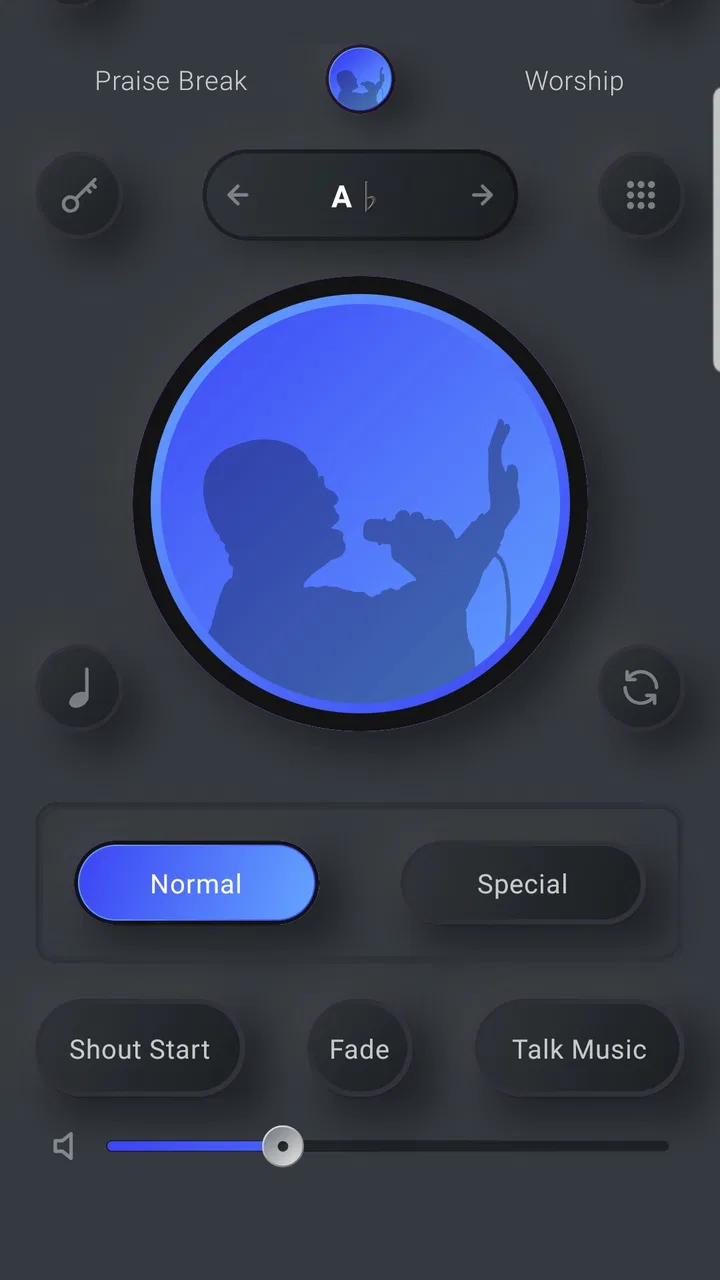
I approached Whoop Triggerz Plus as a practical music and audio tool rather than a conventional streaming app. Its purpose is easy to understand: it is designed for moments when a church musician is not available, giving a worship leader, small congregation, or solo performer a way to bring musical support into a service. That focused role is also what makes it different from most music apps I use. It is not trying to replace a general music library, a podcast player, or a full recording studio.
In my experience, the appeal is strongest when the problem is not finding something to listen to, but creating a usable musical atmosphere with limited people, limited rehearsal time, or no instrumentalist at all. The app comes from The C-Dub Brand and sits in the Music & Audio category. It is free to install, available to Everyone, and has reached over 100 thousand installs, which suggests that the idea is useful to more than a very small group of worship teams.
The current release is version 2.1.46, and the app works on Android 8.0 or later. I would still treat it as a specialized tool: its value depends heavily on whether your church or performance style fits the problem it is built to solve. If you want ordinary music discovery, this is probably the wrong download. If you need a simple way to support a live church setting, it deserves a closer look.
You May Also Like

 AccuWeather: Weather Radar
AccuWeather Review: A Quick, Clear Forecast for Everyday Decisions
For everyday plans, the best forecast is the one you can understand quickly. AccuWeather makes rain timing, radar, and local conditions easy to act on, with a few trade-offs.

 Hill Climb Racing
Why Hill Climb Racing Still Turns Crashes Into One More Run
A tiny car, a bumpy hill and one more upgrade: Hill Climb Racing keeps resurfacing because its simple chaos makes every near-miss feel personal.

 AliExpress - Shopping App
AliExpress Makes Global Shopping Feel Personal, but Shoppers Bear the Risk
AliExpress turns a global marketplace into a pocket-sized discovery engine. Its reach is useful, its shopping loop compelling, and its trade-offs easy to miss.

 Lords Mobile: Kingdom Wars
Lords Mobile Is a Kingdom-Building Routine, Not a Quick Match
A case-by-case verdict on the building, battles, device demands, and social commitments that make Lords Mobile rewarding for some players and exhausting for others.

 PDF Scanner app - TapScanner
TapScanner Makes Paperwork Easier to Capture, Check, and Share
TapScanner makes scanning with a phone feel less like a rescue operation and more like a dependable step in getting work done. Its capture tools are useful, though not flawless.

 Block Blast!
 Shows How Much a Puzzle Game Can Leave Out
A quiet grid game shows why puzzle players increasingly value instant clarity, repeatable skill and low-pressure play—and where the genre still needs to catch up.
More From Our News Desk
View All News


How the current experience fits a real church setting
The most convincing use case is a small service where one person has to cover several jobs. Imagine a Sunday gathering with a vocalist, a speaker, and someone handling the sound system, but no keyboard player or band. In that situation, a backing-oriented app can reduce the silence between spoken moments and help the singer avoid carrying the entire musical structure alone. I can see it being especially helpful for a house church, a temporary worship team, a youth meeting, or a last-minute replacement situation.
That scenario also reveals an important distinction. Whoop Triggerz Plus is not automatically a complete worship team in your pocket. The quality of the result depends on preparation, the room, the sound system, and the person operating it. A volunteer who starts searching through an app while the service is already moving may create more distraction than support. I would prepare the intended material before people arrive, keep the phone or tablet in a stable position, and make sure the operator knows how to stop or change what is playing without fumbling.
The app’s short store description, “Whoop Triggerz Plus,” does not tell a new user much about the workflow, so expectations matter. I would not install it assuming that it behaves like Spotify, YouTube Music, or a broad catalog of recorded songs. Its practical identity is narrower and more performance-oriented. That narrowness can be a strength because a focused tool is often easier to use during a service than a huge entertainment app full of unrelated choices.
For a solo vocalist, the benefit is straightforward. Musical support can make a performance feel more intentional and can provide a pulse when singing without an instrument feels exposed. For a worship leader, it may offer a fallback when a musician cancels. For a congregation, it can help maintain continuity during a service that would otherwise need to be heavily rearranged.
Where it is more useful than a normal music player
A normal music player is built around listening. You choose an album, playlist, or track and let it run. That is fine for personal enjoyment, but a live church setting has different needs. The operator may need to begin at a particular moment, move between sections, or use sound as part of a planned sequence rather than as background entertainment. A specialized worship audio tool is better suited to that mindset than an app designed primarily for passive listening.
There is also a difference in attention. During a service, the person controlling playback should not be browsing unrelated recommendations, advertisements, or social features. A focused app can make the device feel more like a piece of service equipment. That is an advantage I would value even before considering sound quality, because fewer distractions can make a noticeable difference when timing matters.
Compared with a full digital audio workstation, the trade-off goes the other way. A workstation gives an experienced user far more control over arrangement, mixing, recording, and editing, but it also demands more preparation and technical knowledge. I would choose a workstation for building custom tracks. I would choose Whoop Triggerz Plus when the priority is getting usable musical support into a live setting without turning the project into a production session.
What changed users may notice in the current release
The current version is 2.1.46, while the app first appeared on June 3, 2019. That history matters because it places the present experience in the context of a product that has had time to develop beyond its earliest release. I would read the current version as evidence of continued maintenance and evolution, not as a promise that every part of the app will feel modern or that it has become a complete professional audio system.
For someone returning after an older installation, the sensible approach is to update before an important service and then test the exact setup you plan to use. Version changes can affect how an app behaves on a newer phone, how quickly screens respond, or how comfortable the controls feel in a live environment. Even without assuming a particular new feature, the practical lesson is clear: do not discover the current workflow five minutes before the opening song.
The app’s average rating is 4.7 from around one thousand ratings, with hundreds of written reviews. I take that as a positive signal that many users find the concept worthwhile, but I would not treat the rating as a guarantee for every church. A high score can tell me that the central problem is being solved for a substantial group; it cannot tell me whether the available material matches my congregation, whether my sound setup is suitable, or whether the controls fit my exact service routine.
The product is free to download, which makes testing less intimidating. However, in-app purchases range from $24.99 to $239.99 per item. That is a meaningful consideration, especially for a small church working with a limited budget. I would explore the free experience first, identify what is genuinely usable for my needs, and discuss any purchase with the person responsible for church spending. The free installation should be viewed as an opportunity to evaluate the app, not as proof that every useful part of the experience will cost nothing.
How existing users can get more from it
My first practical tip would be to separate rehearsal from performance. Use a quiet session to learn the controls, decide who operates the device, and establish a simple handoff plan. The person running audio may not be the worship leader, and switching responsibility mid-service can be awkward. A short rehearsal can expose small problems—such as the operator standing too far from the device or not knowing how to recover from an accidental tap—before they become visible to the congregation.
My second tip is to treat the phone or tablet as part of the sound chain, not as an isolated gadget. Check the cable, adapter, mixer input, speaker level, and device volume together. A backing app can be working perfectly while the room hears nothing because the wrong input is selected. I would also keep the device charged and avoid placing it where a notification, incoming call, or loose cable can interrupt the moment.
A third useful workflow is to create a very small service plan rather than trying to control the entire event from the app. Select only the musical moments that truly need support: perhaps the opening, one congregational section, and a closing song. This reduces operator workload and gives the musicians or vocalist room to lead naturally. When every transition depends on a device, the service can start feeling mechanical. Used selectively, the app is more likely to support the human parts of worship instead of competing with them.
I would also test the app in the actual room. A track that sounds balanced through headphones may feel too loud, too thin, or too bass-heavy through a church speaker. Room acoustics can make a simple backing part difficult to sing over. Start at a conservative volume and let the vocalist remain clearly audible. If the music dominates the voice, the app is no longer solving the original problem effectively.
Who should consider it, and who should skip it
I think the app is a strong candidate for small worship teams, independent church leaders, solo singers, and groups that regularly face musician shortages. It may also suit people who need a dependable backup plan rather than a permanent replacement for live players. The low entry barrier of a free download makes it reasonable to test during a rehearsal before committing money or changing the service format.
I would be more cautious if your church already has a full band and a carefully rehearsed arrangement. In that environment, adding an extra playback layer may complicate timing instead of improving it. A live keyboardist or guitarist can respond to the room, extend a section, or follow a leader’s spontaneous change in a way a fixed audio tool cannot. If flexibility and musical interaction are central to your worship style, a human musician is still the better choice.
I would also skip it if what you really want is a general-purpose music subscription, an audio editor, or a karaoke catalog. Those products are designed around different goals. Installing this app for ordinary listening would be like bringing a mixer to a casual headphone session: possible, but not the most sensible fit.
Limitations that deserve attention before relying on it
The biggest limitation is the same thing that makes the app appealing: specialization. A tool built around church musical support may not cover every song, arrangement, or denomination-specific preference a user has in mind. I would avoid planning an entire service around an assumption that one app will provide every musical answer. Build a backup plan, especially for an important event.
There is also a human limitation. Musical support does not remove the need for a leader who can keep time, communicate clearly, and respond when something goes wrong. If the vocalist loses the entry or the congregation sings more slowly than expected, the operator may need to stop, adjust, or continue calmly. The app can reduce the need for an instrumentalist, but it does not remove the need for preparation.
The purchase range is another point of friction. A free starting point is helpful, but the upper end of the listed purchase range is substantial for an individual user. Before buying anything, I would ask whether the material will be used often enough to justify the expense and whether the church, rather than a volunteer, should own that decision. This is particularly important when the app is being considered as a backup instead of a weekly essential.
Finally, the device itself remains a possible weak link. A phone can overheat, lose battery, receive a disruptive call, or be handled by someone unfamiliar with the controls. I would keep a second playback option available for major services and make sure at least one person besides the primary operator knows the basic recovery steps. That is not a criticism unique to this app; it is the reality of using mobile technology in a live setting.
What I would watch as the app continues to evolve
For future updates, I would pay attention to improvements that make live use calmer rather than merely adding more material. Clearer organization, quick access to prepared selections, dependable playback behavior, and controls that are easy to identify at a glance would matter more to me than decorative changes. In a church service, a feature is valuable when it reduces hesitation between musical moments.
I would also watch how the product balances its free entry point with its in-app purchases. Users need to understand what they can realistically accomplish without spending and what a purchase adds to the experience. Transparent choices would help a small congregation decide whether the app is a sensible recurring tool or only an occasional emergency solution.
The developer, The C-Dub Brand, has an opportunity to keep the app focused while making it more approachable for volunteers who are not audio specialists. The best direction would preserve the quick, practical purpose and avoid turning the product into an overloaded studio. Existing users should look for updates that improve reliability and preparation, while new users should judge each release by how easily it fits into a real service rather than by the version number alone.
My recommendation after using it as a practical tool
I see Whoop Triggerz Plus as a useful answer to a specific church problem, not as a universal music solution. Its strongest role is the gap between “we need musical support” and “we do not have a musician available today.” In that space, it can give a small team more confidence and help a solo leader create a fuller service without assembling a complete band.
I would recommend starting with a rehearsal, testing the free experience, and checking the complete audio setup in the room where it will be used. I would not purchase expensive content before confirming that the app fits the congregation’s style, the operator’s ability, and the service schedule. That small amount of preparation is what separates a helpful tool from a last-minute source of stress.
With an average rating of 4.7 and a growing audience, the app clearly resonates with many people, but my recommendation remains conditional: choose it when focused church audio support is the need. Choose live musicians when interaction and flexibility matter most, and choose a general music app when listening is the goal. For churches that regularly face the first problem, this free-to-start app is worth trying, provided you treat it as one part of a prepared worship setup rather than a complete replacement for musical leadership.
FAQs for Whoop Triggerz Plus
01What is Whoop Triggerz Plus, and what can I do with it?
Whoop Triggerz Plus is designed as a digital entertainment and gaming-style application centered on quick interactions, challenges, and trigger-based gameplay. Before downloading, users should review the current store description because available modes, features, and supported content may change between updates. The overall experience is best suited to people looking for casual, short-session entertainment rather than a full-featured productivity or communication app.
02Is Whoop Triggerz Plus free to download and use?
The application may be available to download without an upfront charge, but users should carefully check the Google Play Store or Apple App Store listing for the latest pricing details. Some features, content, subscriptions, advertisements, or optional purchases may require payment. We recommend reviewing the in-app purchase section and subscription terms before confirming any transaction, especially if children may use the device.
03What devices are compatible with Whoop Triggerz Plus?
Compatibility depends on the version released for Android or iOS, as well as the operating system installed on your phone or tablet. Before downloading, check the official store page for minimum Android or iOS requirements, supported device models, and available storage information. Keeping your operating system and the app updated can also help prevent crashes, loading problems, or missing features.
04Does Whoop Triggerz Plus require an internet connection or account?
Some functions of Whoop Triggerz Plus may work locally, while online features can require an active Wi-Fi or mobile-data connection. An account, sign-in, or permission request may also be needed for certain content, progress tracking, purchases, or personalized settings. Users should review the permissions requested during installation and avoid granting access that does not appear necessary for the app’s main purpose.
05Is Whoop Triggerz Plus safe for children and does it collect personal data?
Parents should check the app’s age rating, privacy policy, advertising information, and data-safety section before allowing children to use Whoop Triggerz Plus. Depending on the version, the app may collect technical information, usage data, or details connected with purchases and accounts. It is also wise to enable device-level parental controls and prevent unauthorized in-app purchases when younger users have access.
Pros
- Fast access to curated trigger sound effects.
- Simple interface makes sound selection easy.
- Useful for prank videos and casual entertainment.
- Runs smoothly on most modern mobile devices.
- Offers a wide variety of humorous audio clips.
Cons
- Some content may feel repetitive after extended use.
- Not all sounds may be suitable for children or workplaces.
- Audio quality can vary between individual clips.
- May require extra permissions that privacy-focused users dislike.
- Limited value if you rarely use sound-effect apps.

Whoop Triggerz Plus
Gallery